
Layouts, roster, real-time placement, breaks, and the prompts that surface what needs attention right now. Every Day Part has a known structure before the doors open.
The whiteboard for who is on. HotSchedules to confirm. The break manager spreadsheet. The training notebook to remember Jose hasn't been on iPOS 2 yet. A text thread for the closer's question. Five tools, five contexts, one shift that started six minutes ago.
This is the shift-execution gap. It is not about lazy Leaders or bad processes. It is about not having one screen that knows the whole picture.
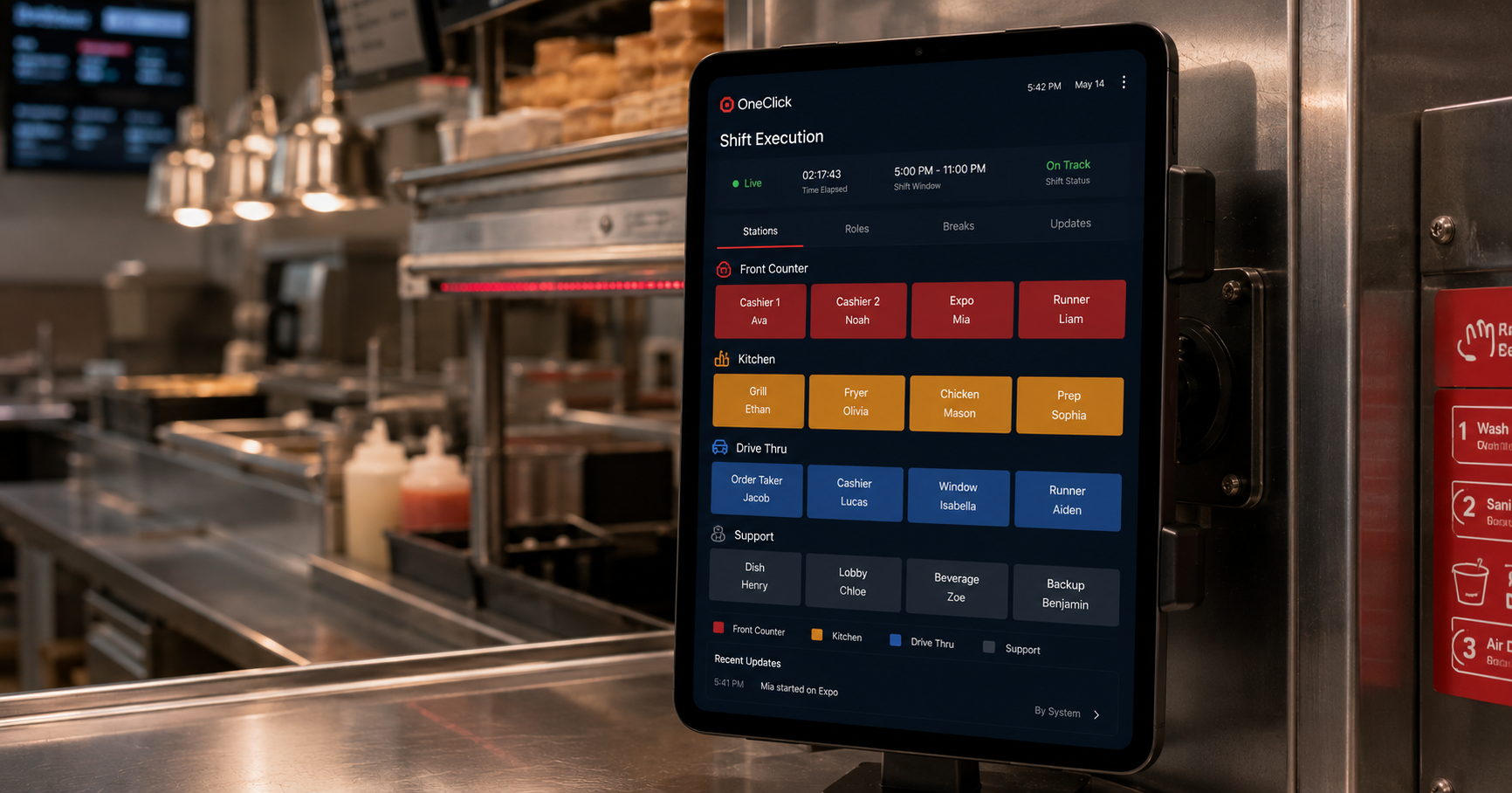
OneClick's Shifts screen is the one place a Leader needs to be during a shift. The Layout shows who is in which position. The Unassigned Roster shows who hasn't been placed. Auto Schedule places them in one tap. Break Manager lights up when someone is overdue. Prompts show who needs a rating.
The Director can step in from the Operator's office and see the same screen. Same data. No "let me check on that."
Your store's positions visualized: FOH Cockpit, Drive-Thru, Front-Of-House, Back-Of-House, Leadership. Drag to assign, tap to swap.
Who's clocked in, who's coming, who hasn't been placed. Pulls live from HotSchedules every 10 minutes.
Toggle on, the roster reorders by break-due-time. Each card shows the break window and a stopwatch. Mobile-first.
Speed Rating prompts surface when a Team Member is on a position they haven't been rated on yet. One tap.
What the previous shift's Leader noted. Quote, training reminder, "iPOS 1 is glitchy today." Carries forward.
Shift Strength, Assigned, Daily Waste, Minors, New Recruits, Closers. The numbers a Leader checks every 30 minutes.
Your Leader walks in for the lunch peak. The Layout is already laid out from the morning Auto Schedule. Two Team Members called out an hour ago; their cards sit in Unassigned with their shift hours visible. The Leader taps each card. OneClick auto-places them based on their training ratings. Beverly goes to FOH General; Achirin goes to Dining Room Host. Both placements are based on each Team Member's actual position ratings, not on which whiteboard slot was open.
At 12:18, Break Manager flags Logan as overdue. The Leader taps Logan's card, taps "Send to Break," and Logan goes. At 12:45, the Prompts panel lights up. New recruit Jose just finished his first hour on iPOS 1. The Leader sees the Speed Rating prompt: "How's Jose on iPOS 1?" Three taps. The rating is recorded; Jose's profile updates; tomorrow's Auto Schedule will know more about him.
At 1:30, the Leader looks at the Stats bar. Shift Strength is at 94%. Daily Waste is on track. The Director walks in, looks at the same screen, and asks one question instead of five.
With such a high-volume store, we need OneClick to stay organized. The layouts, the color coding, the visual on all the shifts. That's the structure we need to keep the day and everyone organized.ID
Yes. OneClick can act as the source of truth for shifts if you do not use HotSchedules. The HotSchedules sync is an integration, not a requirement.
OneClick does not currently support concurrent layout editing during a shift. The "last save wins" rule applies. We document this clearly in the help center, and the friction is on our roadmap.
Yes. The same login works across iPad, iPhone, and laptop. Most Operators set up Layouts on the laptop or iPad and run shifts on the iPhone.
A Day Part is the operating term for a Layout in OneClick. Most stores run five Day Parts per day: Breakfast, Lunch Peak, Afternoon, Dinner Peak, Close. Each Day Part has its own Layout structure.
Someone who has worked at Chick-fil-A® runs the demo on your store. Bring the lunch peak that gives you the most trouble.