Yesterday we wrapped up our Holiday Bingo webinar, a fun end-of-year way to look back at everything launched in 2025, share a sneak peek of what is coming in 2026, and make a special announcement for Chick-fil-A leaders and their teams.
Along the way, attendees played live Holiday Bingo for OneClick subscription credits and helped us prioritize the roadmap through a quick poll.
2025 Highlights: What We Launched This Year
Throughout the bingo game, each “card” represented a feature we released or a project we kicked off. Here are some of the big ones.
Operations and Accountability
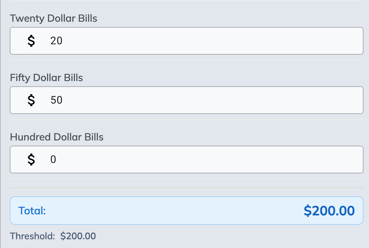
Cash Till Log, Phase 1 A structured way to track cash tills, thresholds, and safe transfers. Each record requires both a leader's signature and a team member's signature for added accountability.
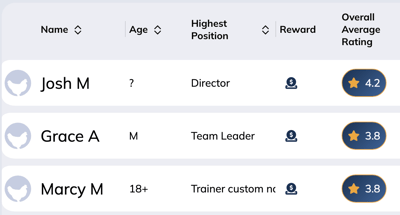
Average Ratings for Team Members View overall average ratings from the Team tab and on each individual profile. This makes it easier to see who your “powerhouse people” are and who might need more support.
Email notifications when a team member hits low, medium, or high infraction thresholds
Optional “infractions received” email to the team member
Customizable subject lines for positive, zero, and negative point emails, so not every email looks like bad news
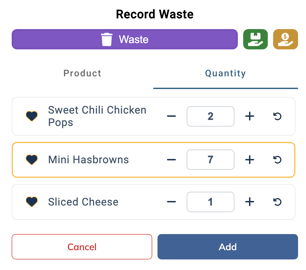
Waste Interface Refresh Waste, donations, and samples got a visual update and smoother workflow from the shift screen, making it easier to record and review items.
Communication and Language
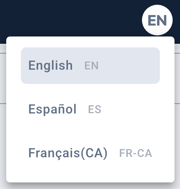
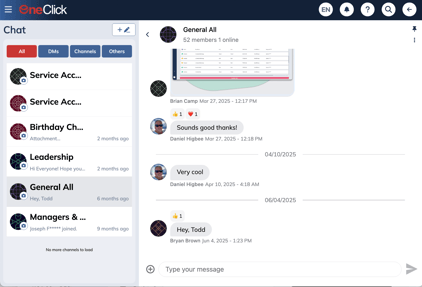
Language Translation (Spanish and French) The app can now be translated into Spanish or French. Chat messages are also auto-translated both ways, so leaders and team members can communicate in their preferred language without losing context.
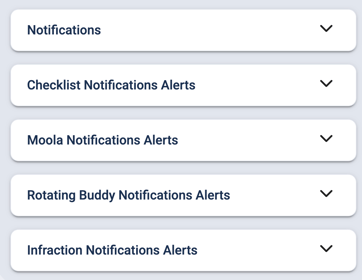
In-App and Push Notifications, Phase 1
Store-wide notification controls for directors
Personal notification settings per user, with recommended defaults
In-app and push options for items like infractions and assigned checkli
Permission-based channel access that automatically updates as people are promoted or removed
Persistent message history so you are not losing conversations after 90 days.
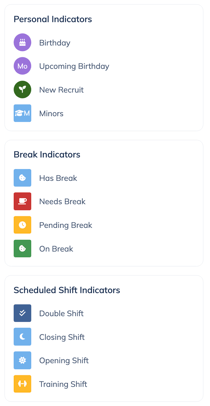
Icon Legend on Shifts A simple but powerful addition, the icon legend helps leaders quickly understand key details about a team member at a glance from the shifts page.
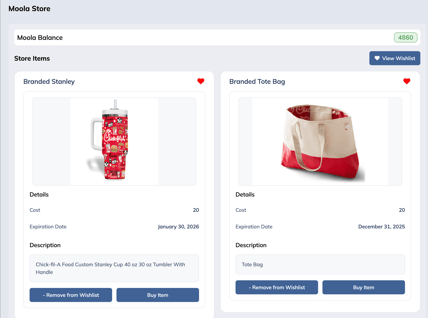
Phase 1 of the Moola Store is live, letting leaders build a digital prize store for team members to redeem their Moola bucks
Leaders can define items, cost in Moola, quantities, and who gets notified when an item is redeemed
Moola Transactions Log gives managers a clear record of redemptions and approvals
Moola budgets can now be set per permission level in Settings, including an unlimited option
Training, Learning, and Resources
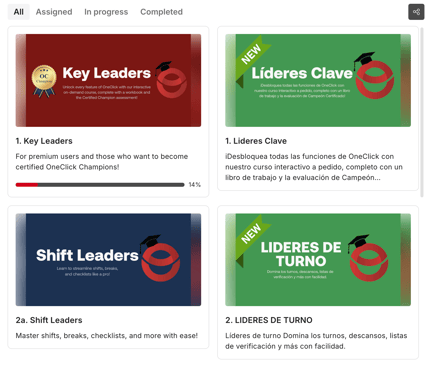
The Academy Launched in February, the Academy gives trainers and higher a structured way to get oriented to OneClick. Courses are available in English and Spanish, with focused tracks for specific features as well as full platform overviews.
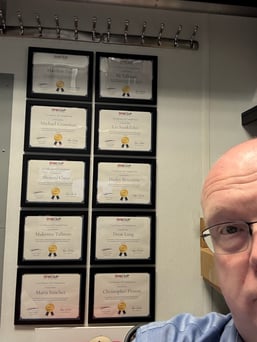
Certification Program and Champions The Key Leaders course in the Academy now includes an assessment. Passing leaders become certified Champions and receive a framed certificate, creating in-house experts who can support the rest of the team. Stores with at least three Champions see the strongest results.
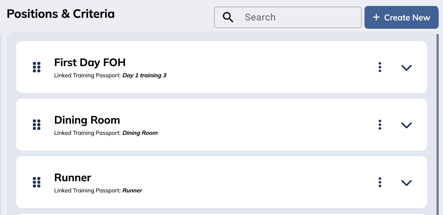
Training Settings and Passports in App Stores can now configure training ratings, criteria, and passports directly in Settings without going through the OneClick team.
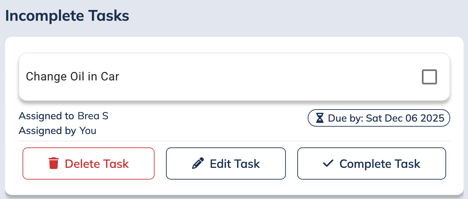
One-off tasks let you assign individual tasks with due dates and notifications, separate from recurring checklists
Checklists can be restricted to specific permission levels, for example, director only checklists
Case Studies Library An expanding library of case studies, including training focused stories, gives leaders real examples of how other Chick-fil-A restaurants are using OneClick.
Design and Settings
Wasatch UI Redesign The entire app got a complete design refresh in February, internally called the Wasatch version, named after the Utah mountain range where OneClick team is based.
Centralized Settings A robust Settings area now lets leaders configure most aspects of the app themselves, with upcoming Profile and Admin section planned for even deeper control.
Corporate Transition Billing Pause During corporate takeovers or transitions, OneClick can pause billing with interim manager aproval, so stores do not need to cancel their subscriptions. Contact us for more details.
Sneak Peek: What Is Available Now in Early Phases
Some “bingo cards” revealed features that are technically live but not yet fully announced.
Adjust parameters like growth and wage assumption.
Weekly trainings are planned to help leaders understand and tune the parameters.
Notifications, Next Phase Email and text notifications, plus deeper integration with OneClick chat, are in active development to build on the in-app and push foundation.
Moola Store, Phase 2 The store interface is already working internally, with leaders configuring items and notifications. The next step is fully polishing the team member experience and tightening up notification flows.
Disable Mobile Dashboard An option in testing will let users bypass the mobile dashboard and land directly on the shifts page.
Roadmap Highlights for 2025 and 2026
The poll at the end of the webinar asked attendees to pick their top three priorities. While we will share poll results later, here are the major roadmap themes Brea and Dan previewed.
Smarter Scheduling and Time
AI Scheduling Tool Planned development in 2026, this tool will consider:
Weather
Traffic patterns
Local events
Team availability.
Time Punch On the roadmap for after the scheduling tool, with an eye on 2026, to round out the scheduling suite.
Layout Analyzer A future tool that will analyze setups to prevent overusing the same team members in the same roles, and help place people where they can grow while still maintaining strong performance.
Smarter Checklists, Sensors, and Waste
Checklist Revamp A ground-up redesign of one of OneClick’s oldest features, aiming to add:
Create and store forms and documents directly in OneClick
Attach documents to team profiles and maintain a digital history
Manage access by permission group
Infractions with Photos Planned support for attaching photos to infractions for better documentation and accountability.
Message Multi-Unit Future chat enhancements will allow leaders to message across multi unit organizations and even neighboring OneClick stores.
Special Announcement: OneClick Cares
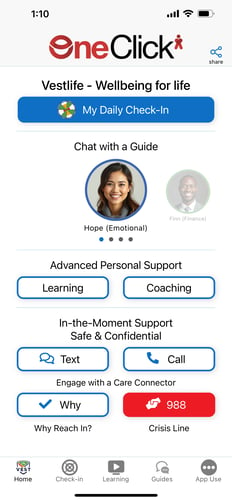
The biggest surprise of the webinar was OneClick Cares, a dedicated wellness app designed specifically for Chick-fil-A teams and leaders.
OneClick Cares will:
Track personal wellness in eight key areas with quick red, orange, green check-ins
Let users focus on specific areas like financial wellness
Surface resources based on patterns over time, including:
Articles and webinars
Call support and crisis support where appropriate
Offer live chat with a guide for real human help
The team is also exploring:
Telehealth services bundled with the platform
A financial wellness application integrated into the same experience
The goal is for operators to be able to provide these services to their teams directly inside the OneClick ecosystem.
Milestones and Gratitude
The webinar also celebrated a major milestone, with OneClick now serving 620 Chick-fil-A restaurants. The team emphasized how much this growth has been driven by referrals and word of mouth, and closed by encouraging operators to “share the love” with neighboring locations.
The session wrapped up with Q&A, feature suggestions from leaders, and an invitation to keep sending feedback so the product can continue to evolve around real Chick-fil-A needs.


 OneClick Team